


Draw Cartoons 2 PRO
4.6912.00 Reviews
App Specs
- Version
- 4.03
- Updated On
- License
- $9.99
- Downloads
- 50,000+
- Developer
- Zaliv Armenia
- Categories
- Art & Design
- Platform
- Android
Screenshots
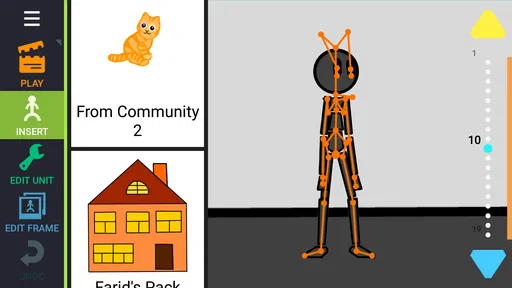
 Analysis by AppCompare
I approached Draw Cartoons 2 PRO as a practical animation workspace rather than a simple sketching app. That distinction matters: making a cartoon on a phone is easy to imagine, but keeping characters consistent, editing movement comfortably, and turning a rough idea into something watchable are much harder. In my experience, this app is most interesting when you want to build a short scene step by step, not when you only want to doodle for a few minutes.
Created by Zaliv Armenia, it sits in the Art & Design category and is aimed at people who want to draw cartoons directly on a mobile device. Its store summary calls it an ultimate animation tool, while the short description identifies it as a professional edition of Draw Cartoons 2. I would describe it more simply: it is a focused animation app for users who are willing to learn a workflow instead of expecting one-tap results.
Building a cartoon on a small screen
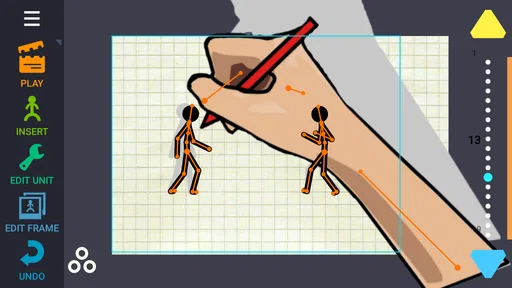
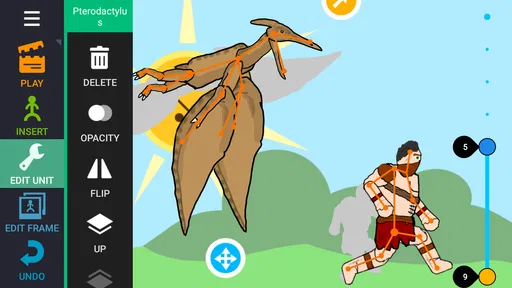
The central appeal is the way drawing and movement belong to the same project. Rather than sketching every image separately and then moving to another program, I can think in terms of characters, poses, scenes, and timing inside one creative process. That makes the app suitable for short stories, visual jokes, simple explainers, and personal experiments where the idea is more important than polished studio production.
The first useful habit is to plan the action before drawing too much detail. On a phone, it is tempting to spend time refining a face or costume immediately. A better approach is to block the main poses first: where the character begins, what changes, and where the action ends. This keeps the project manageable and makes it easier to notice whether the movement actually reads. The app rewards that kind of thinking because animation depends on the relationship between drawings, not on one attractive still image.
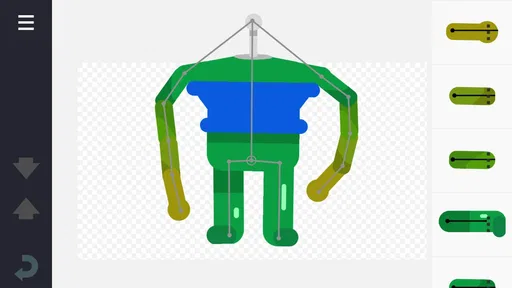
I also found that consistency is a bigger challenge than the initial drawing. A character can look slightly different from one pose to the next, especially when working with a finger on a compact display. Reusing a basic character design and changing only the pose is more efficient than redrawing everything from scratch. It also produces a cleaner result. For beginners, this is one of the most important lessons: a simple character that stays recognizable usually works better than a detailed character that changes shape constantly.
The strongest reason to choose this app is the combination of drawing and animation in one mobile workflow. That makes it more purposeful than a general sketchbook, while still feeling less intimidating than professional desktop animation software. I would not expect the same precision, layer management, or production depth found in a full computer package, but that is not necessarily a weakness for someone who wants to animate during spare moments.
Where connectivity enters the experience
The creative act itself feels like something I would normally want to do away from interruptions, but a mobile app does not exist in isolation. Downloading the application, checking its current version, and accessing any store-related information naturally involve a connection. The current version is 4.03, and the app requires operating system version 10 or newer, so checking compatibility before paying is sensible, particularly on an older phone or tablet.
Worth Reading Before You Choose

EA SPORTS FC Mobile 26 Is a Bigger Football Game, but It Takes Time

Flipboard Shows What News Apps Must Do Beyond the Feed

Switching to Android Auto Means Rethinking Your Driving Routine

Google Calendar Makes a Crowded Week Easier to Manage

Ludo King Makes the Most of the Minutes Between Plans

Baby Panda World Brings Quick Play to Modern Phones, but Its Game Library Feels Busy
Connectivity also affects the surrounding workflow. If I want to show a finished cartoon to someone, move it into another editing tool, or publish it through a separate service, the process may depend on whatever sharing or transfer method I choose. I would not treat the app as a complete publishing platform. It is better understood as the place where the animation is made, with distribution handled afterward according to the tools available on the device.
That separation is useful because it keeps the creative work focused. I can develop a scene without needing to think about social feeds, comments, or online collaboration inside the drawing process. At the same time, anyone expecting a cloud-first experience should consider how they normally move projects between devices. If your work regularly shifts from phone to tablet to desktop, the convenience of this app will depend heavily on your personal file-handling routine.
For a student preparing a short visual assignment, this can be perfectly reasonable. The student can sketch the idea on a phone, refine the motion in several sessions, and later send the result through the school’s preferred channel. For a team that needs several people editing the same project remotely, a dedicated collaborative platform would probably be a better fit. The app’s value is strongest when one person controls the creative process.
Using it in everyday mobile situations
A realistic use case is a person waiting for an appointment with a small story idea in mind. Instead of opening a general drawing app and producing a single illustration, they can rough out a character, test a short movement, and decide whether the joke works before investing more time. That is where mobile animation becomes genuinely useful: not as a replacement for every desktop tool, but as a way to capture and develop ideas while they are still fresh.
Another good situation is making a short birthday greeting or a personal message. A simple animated character waving, pointing, or reacting can feel more personal than a static image. The key is to keep the scene short and visually clear. On a phone, complicated backgrounds and long sequences quickly become tiring to edit, while a small number of expressive poses can communicate the idea effectively.
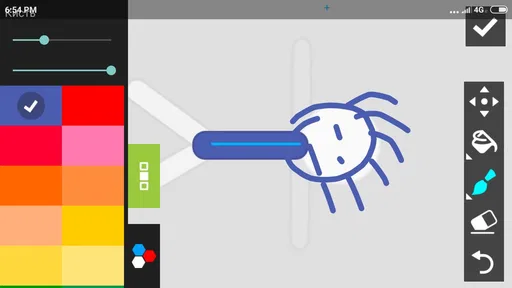
I would recommend using a stylus if your device supports one and you care about cleaner lines. Finger drawing is possible, but precision becomes more difficult when the character is small or when two nearby details need separate adjustments. A larger screen also helps with inspecting the timeline or composition. The app remains mobile-friendly, but “mobile-friendly” should not be confused with “equally comfortable on every screen size.”
Battery and attention are practical considerations too. Animation invites repeated previewing, and repeated previewing encourages constant tweaking. I prefer working in short passes: rough movement first, character cleanup second, background and small details last. This reduces the chance of spending a long session polishing a scene whose timing is not yet convincing. It also makes the app easier to use during short breaks rather than requiring one uninterrupted creative block.
The age rating is Everyone, which makes the app approachable for families and younger learners, but that does not mean every child will find it immediately easy. Animation has a learning curve even when the interface is friendly. A parent or teacher may need to demonstrate the basic sequence of drawing, arranging, previewing, and revising. Once that pattern is understood, the app can support a useful introduction to visual storytelling without requiring advanced art theory at the start.
Failure points and recovering from a rough session
Every animation project has moments where the result looks worse in motion than it did while drawing. A character may appear to jump, a gesture may happen too quickly, or the scene may feel empty because the background does not guide the eye. I would not interpret those problems as evidence that the app is failing. They are normal animation problems, but the small screen can make them harder to diagnose until the preview is played repeatedly.
My preferred recovery method is to return to the major poses rather than immediately adding more drawings. If the beginning and ending positions are unclear, extra detail usually makes the sequence more confusing. I would simplify the action, check the spacing between important moments, and only then add intermediate movement. This approach saves time and is especially valuable on a phone, where fine corrections can become slow.
Another source of friction is project organization. Once several characters, scenes, or experiments accumulate, naming and separating work becomes important. I would keep one project for a finished idea and separate projects for tests or alternate versions. That way, a failed experiment does not become mixed with the version I intend to share. This is a small habit, but it protects creative momentum when a project becomes more involved.
Connectivity can matter during recovery even when the drawing itself does not require constant interaction with online services. If a project needs to be transferred, shared, or backed up through an external method, a poor connection can delay the next step. I would therefore avoid leaving a nearly finished animation stranded only on a device that is low on storage or difficult to access. Exporting or moving completed work as part of a regular routine is safer than waiting until the last minute.
I also think users should distinguish between a technical failure and an artistic dead end. If the app closes unexpectedly or a device becomes unresponsive, that is a technical concern and calls for patience, reopening the project, and checking the saved state. If the animation opens correctly but still feels lifeless, the fix is usually creative: clearer poses, better timing, or less visual clutter. Keeping those problems separate makes troubleshooting less frustrating.
Working carefully when data is limited
For people with restricted mobile data, the sensible approach is to treat the app as a creation tool and schedule connection-heavy tasks deliberately. Downloading it and handling finished work are the moments I would plan around a reliable connection. During the actual drawing session, I would avoid unnecessary interruptions and focus on constructing the animation locally within the app’s working environment, without assuming anything about online or offline behavior that has not been established.
That distinction is especially helpful for travelers. Before leaving home, I would install the app, confirm that the device meets the minimum operating-system requirement, and prepare any reference material I expect to use. I would also make sure there is enough free storage for the project and its eventual output. These steps do not make the app magically independent of connectivity, but they reduce the number of surprises when working away from a familiar network.
If I were using it over a metered connection, I would avoid repeatedly sending unfinished versions back and forth. Animation projects can generate many revisions, and transferring every small change is wasteful. A better routine is to keep local milestones, review the sequence carefully, and share only a meaningful draft. This is also clearer for anyone receiving the work because they are less likely to confuse an early test with the intended version.
There is a creative benefit to limiting interruptions. When I cannot instantly publish every experiment, I am more likely to judge the animation on its own quality rather than on immediate reactions. That suits a tool like this, where timing and clarity improve through quiet revision. The trade-off is that users who want instant social sharing, online feedback, or automatic synchronization may find the surrounding workflow less convenient than a platform designed around those features.
Who should pay for it, and who should look elsewhere?
The price is $9.99, so I would not recommend buying it solely because the idea of animation sounds appealing. The purchase makes more sense if you already know you want to create short cartoons and prefer doing that on a phone or tablet. Someone who only wants occasional doodles may get better value from a free drawing app, while someone pursuing detailed frame-by-frame production may outgrow a mobile workspace and prefer desktop software.
The audience response is encouraging: the app has a 4.6 average from around 6.4 thousand ratings, with roughly 912 written reviews and more than 50 thousand installs. Those figures suggest an established user base rather than an untested experiment, but they should not replace personal expectations. A strong rating cannot remove the limitations of drawing on a small display or the time required to learn animation fundamentals.
I would choose it for a beginner who wants a guided creative project, a parent looking for an accessible cartoon-making activity, or an artist who wants to develop rough animated ideas away from a computer. I would hesitate to recommend it to a professional team needing shared production controls, a creator who depends on advanced desktop compositing, or anyone unwilling to organize files and revise timing patiently.
Compared with a standard drawing app, it offers a more direct path from illustration to movement. Compared with a full animation suite, it is likely to feel more approachable and portable, but less suited to complex production pipelines. Compared with online animation services, it places less emphasis on browser-based collaboration and immediate publishing. Those comparisons explain its best position: a personal, mobile animation studio for short and manageable projects.
My connectivity verdict
After using it as a mobile animation workspace, I see connectivity as a supporting concern rather than the main attraction. The important work is still the creative sequence of planning poses, drawing characters, previewing motion, and correcting weak moments. Network conditions become more relevant when obtaining the app, checking compatibility, moving projects, or sharing finished results.
That makes it a reasonable choice for people who want to create independently and can organize their transfers around a dependable connection. I would prepare before traveling, keep projects tidy, and avoid treating every draft as something that must be uploaded immediately. Those habits make the experience calmer and protect limited data without making claims about capabilities that depend on the device or workflow.
My recommendation is straightforward: buy it if mobile cartoon-making is a real hobby or project for you, not merely a passing curiosity. The app offers a focused way to turn drawings into short animated scenes, and its professional edition is more purposeful than a basic sketchpad. Just go in expecting practice, revisions, and some small-screen friction. If that trade-off sounds acceptable, Draw Cartoons 2 PRO can be a satisfying tool for turning quick ideas into moving stories.
Pros
- Simple tools make frame-by-frame animation approachable for beginners.
- Supports custom characters
- objects
- and backgrounds for creative freedom.
- Timeline controls help users adjust movement and scene timing precisely.
- Projects can be saved and continued later without starting from scratch.
- Useful for short animated stories
- sketches
- and experimental videos.
Cons
- Advanced animation work can feel slow on smaller phone screens.
- The interface may take time to learn despite its cartoon-focused design.
- Large projects can require considerable storage space on the device.
- Exporting lengthy animations may take time and use significant battery.
- Some users may find the available drawing tools limited for detailed artwork.
FAQs for Draw Cartoons 2 PRO
What is Draw Cartoons 2 PRO?
Draw Cartoons 2 PRO is an animation app designed for creating short cartoons and animated scenes on a mobile device. It provides drawing tools, character creation options, a timeline-based animation workflow, and features intended to make frame-by-frame or pose-based animation easier for beginners. The PRO edition may include additional tools or remove some limitations found in the free version, depending on the platform and release.
Is Draw Cartoons 2 PRO suitable for beginners?
Yes, the app is generally suitable for beginners who want to experiment with animation without using professional desktop software. Its interface can still take some time to understand because users must work with characters, objects, scenes, and animation timing. New users should begin with a simple project, learn how the timeline works, and gradually explore more advanced drawing and editing features.
What can I create with Draw Cartoons 2 PRO?
With Draw Cartoons 2 PRO, you can create animated clips, short cartoon stories, character movements, and simple visual scenes. You can usually combine custom drawings with backgrounds, objects, and character parts, then arrange their movement over time. The app is better suited to short mobile animations and creative experiments than to producing highly complex, studio-quality cartoons with extensive effects.
Does Draw Cartoons 2 PRO work offline?
Many of the core drawing and animation functions can generally be used without a constant internet connection once the app and any required assets are installed. However, internet access may still be needed for downloading resources, checking licenses, restoring purchases, viewing optional online content, or sharing projects through external services. Availability can vary by device, operating system, and app version.
Is Draw Cartoons 2 PRO free to download?
The name PRO usually indicates a paid version, premium upgrade, or edition with additional functionality, but the exact pricing and purchase model may differ between Android and iOS. Before downloading, check the official store listing carefully for the current price, in-app purchases, advertisements, supported devices, and included features. Also verify that your phone has enough storage for projects and exported animations.


